
APP SUPPORT
Football Tactical Board.
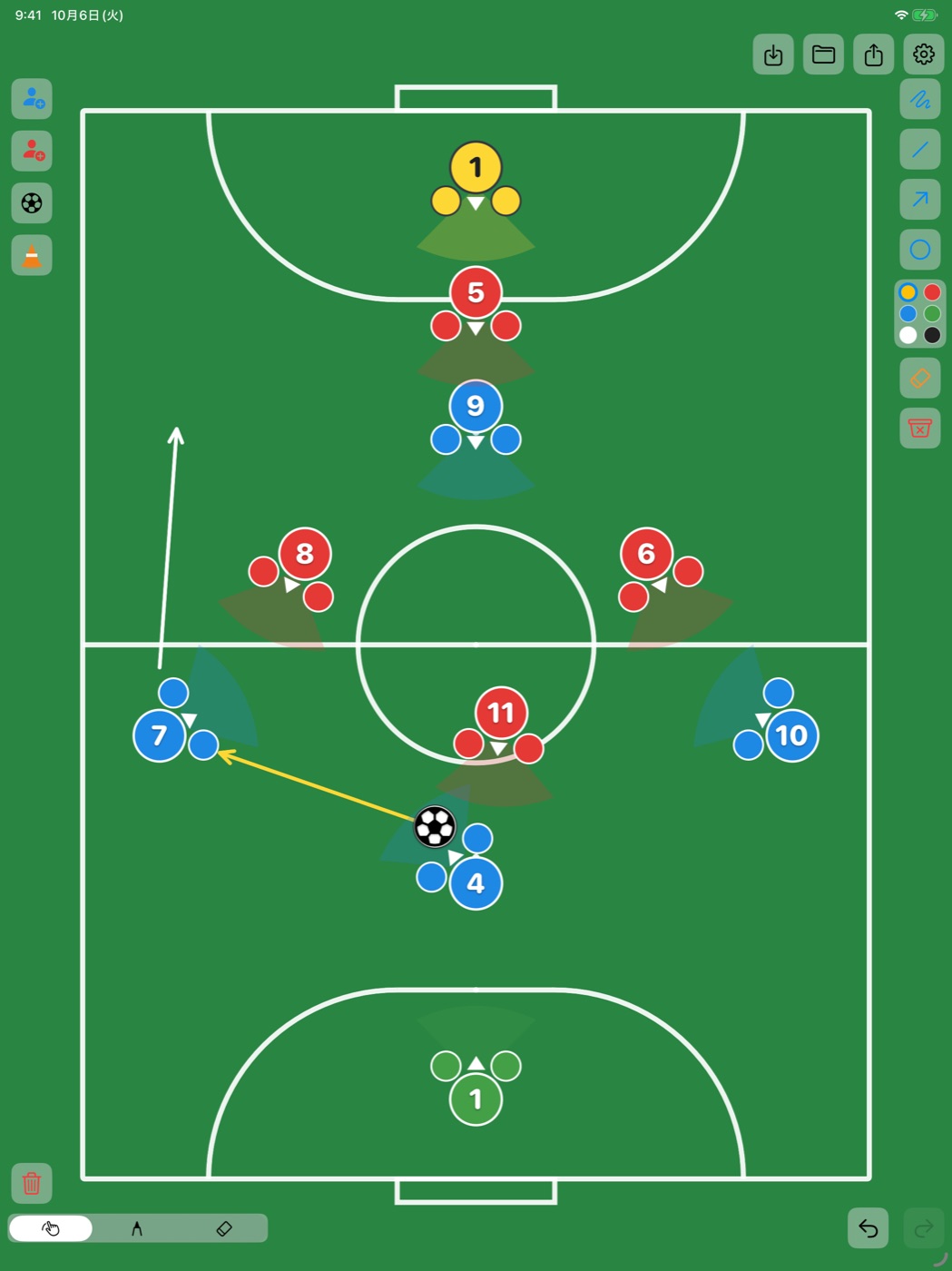
The iPad tactics board where every player shows which way the body is facing.
選手の「体の向き」まで置ける、iPad 用の作戦ボードです。
HOW TO USE
- Add players
- Tap the person buttons at the top left. The upper one adds Team A, the lower one adds Team B.
- Move and turn
- Drag the center of a player to move. Drag the outer edge to turn the body while moving. Twist with two fingers to rotate on the spot.
- Number and color
- Press and hold a player to change the number, give that one player a different color, or remove the player.
- Uniforms, pitch and size
- Open the gear at the top right to choose the pitch, each team's uniform color, and the size of players and the ball.
- Draw
- Use the tools on the right for freehand, line, arrow and circle. Switch between move, draw and erase at the bottom left.
- Save and share
- Use the buttons at the top right to save a board, open a saved board, or export the board as an image.
FAQ
- Which devices are supported?
- iPad with iPadOS 17 or later.
- Do I need an account?
- No. The app works without sign-up, and your boards stay on your iPad.
- Where are my boards stored?
- On your device only. Deleting the app deletes the saved boards, so export anything you want to keep as an image first.
CONTACTinfo@atacanto.comWe reply within two business days. Please include your iPad model and iPadOS version.
使い方
- 選手を追加する
- 左上の人型ボタンをタップします。上がチームA、下がチームBです。
- 動かす・向きを変える
- 選手の中央をドラッグすると移動、外側をドラッグすると体の向きを変えながら移動します。2本指でひねると、その場で回転します。
- 背番号と色
- 選手を長押しすると、背番号の変更、その選手だけの色変更、削除ができます。
- ユニフォーム・コート・サイズ
- 右上の歯車から、コート、チームごとのユニフォームの色、選手とボールの大きさを選べます。
- 描く
- 右側のツールでフリーハンド・直線・矢印・円を描けます。左下で移動/描画/消しゴムを切り替えます。
- 保存と共有
- 右上のボタンで、盤面の保存、保存した盤面の読み込み、画像としての書き出しができます。
よくある質問
- 対応している端末は?
- iPadOS 17 以降の iPad です。
- アカウント登録は必要ですか?
- 不要です。登録なしで使え、作った盤面はお使いの iPad の中に保存されます。
- 盤面はどこに保存されますか?
- お使いの端末の中だけです。アプリを削除すると保存した盤面も消えるため、残したいものは先に画像として書き出してください。